- Rust 70.4%
- Fluent 26.9%
- Just 1.9%
- Shell 0.7%
- Dockerfile 0.1%
|
|
||
|---|---|---|
| .devcontainer | ||
| .github | ||
| i18n | ||
| resources | ||
| src | ||
| .gitignore | ||
| cargo-sources.json | ||
| Cargo.lock | ||
| Cargo.toml | ||
| cef-rs-cargo-sources.json | ||
| dev.heppen.webapps.json | ||
| i18n.toml | ||
| justfile | ||
| LICENSE | ||
| README.md | ||


Quick Web Apps
Web App Manager for the COSMIC™ desktop written with love and libcosmic. Allow you to simply create web applications from given url working inside separate window. With some customization options.
Support
Hey! This app is fully distributed for free with free license. I'm doing it with passion in my free time. Trying to keep it stable and bug free as long as I can. However, would be nice if you could bring me some coffee, so I can work longer on it :) Thanks! :)
Installation
Clone the repository:
git clone https://github.com/cosmic-utils/web-apps.git
cd into folder
cd web-apps
Building is simple. Make sure you have configured flathub remote as --user.
flatpak remote-add --if-not-exists --user flathub https://dl.flathub.org/repo/flathub.flatpakrepo
Install flatpak-builder.
flatpak install -y flathub org.flatpak.Builder
and start the process:
flatpak run --command=flathub-build org.flatpak.Builder --install dev.heppen.webapps.json
Launching
flatpak run dev.heppen.webapps
Uninstall
flatpak uninstall dev.heppen.webapps
Usage
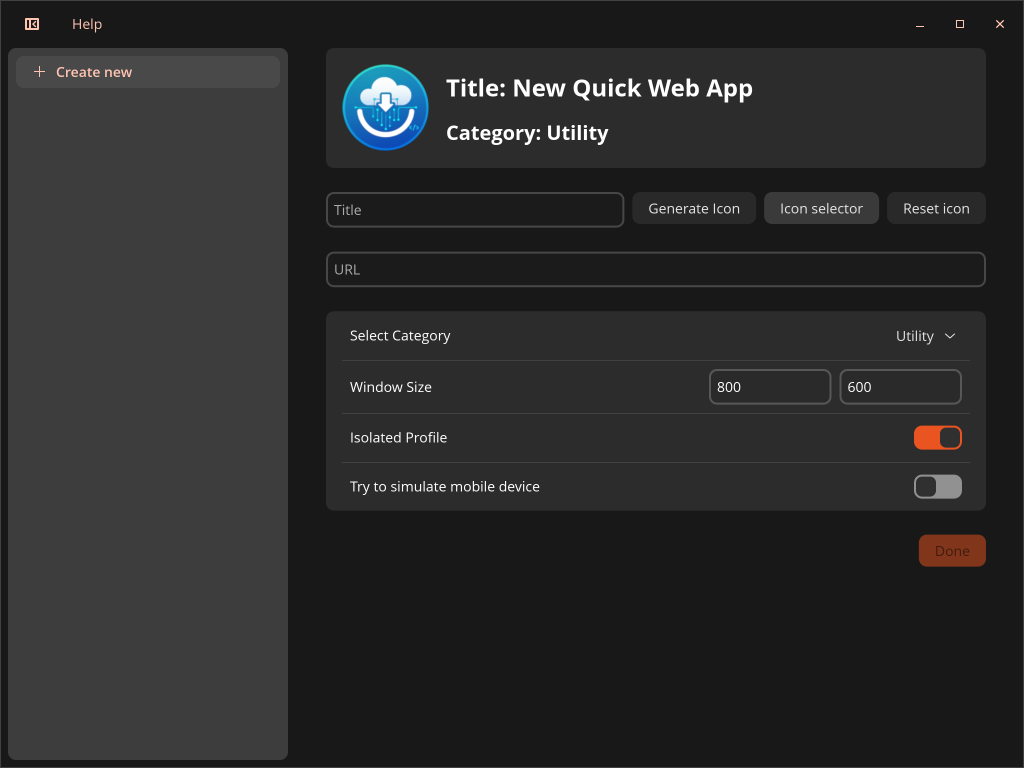
Created Web Apps are using WebKitGTK rendering engine. You can create new Web App by filling the form in the editor window. To be able to create Web App you need to provide:
- valid URL (starting with http:// or https://).
- name of the application.
- icon (press the icon button to choose one from your system).
- the category of the web app
For creating launcher, the application uses DynamicLauncher Portal. Make sure you have this portal supported on your system.
License
Code is distributed with GPL-3.0 license